Fire alarm inspection software for Ontario
Test each device on a phone, then issue the S536 report.
From C$199 a month for up to 3 technicians. 14 days free, no card.
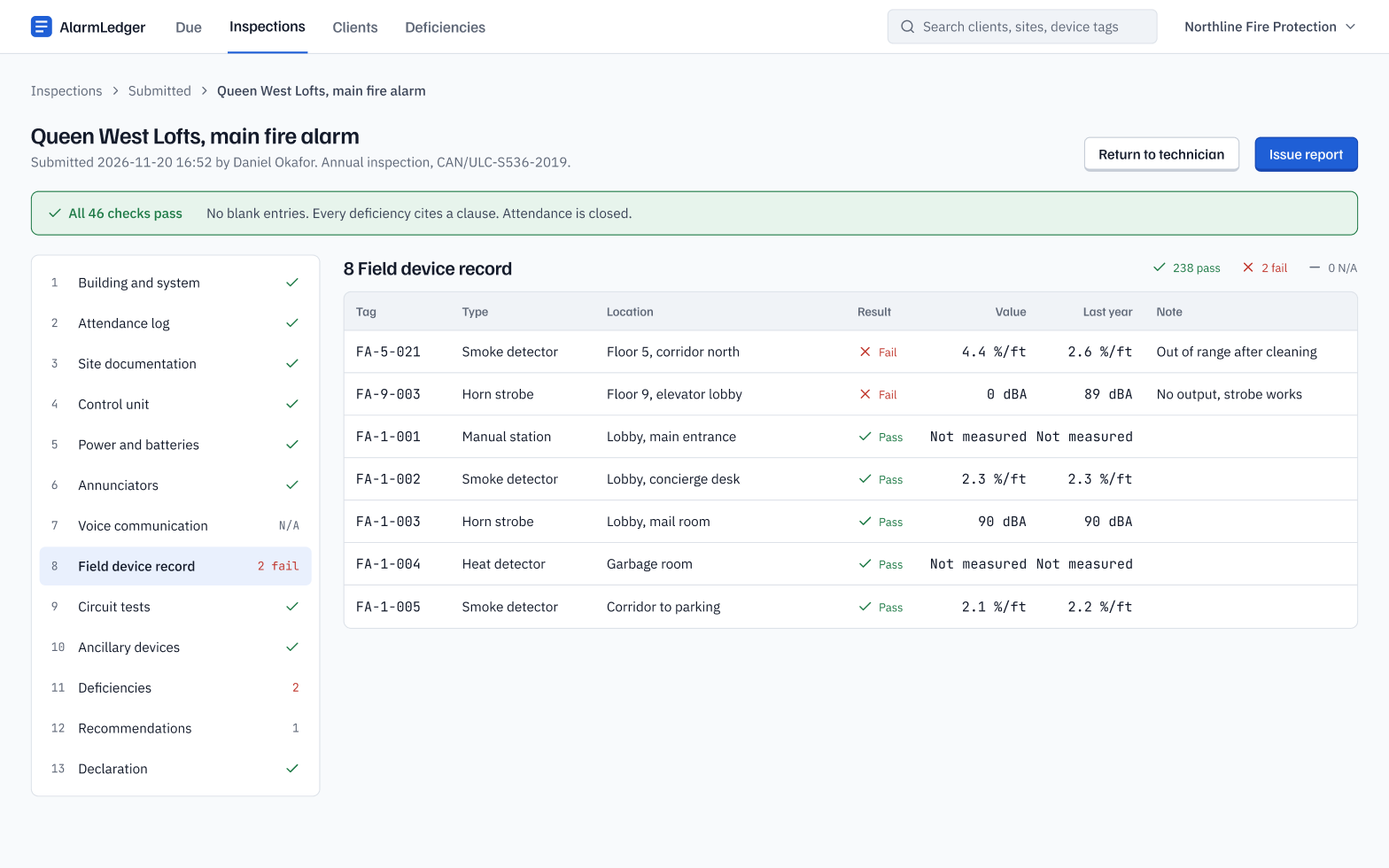
What it covers
- Device register
- Every device with its tag, type, location and circuit. Import a list from CSV.
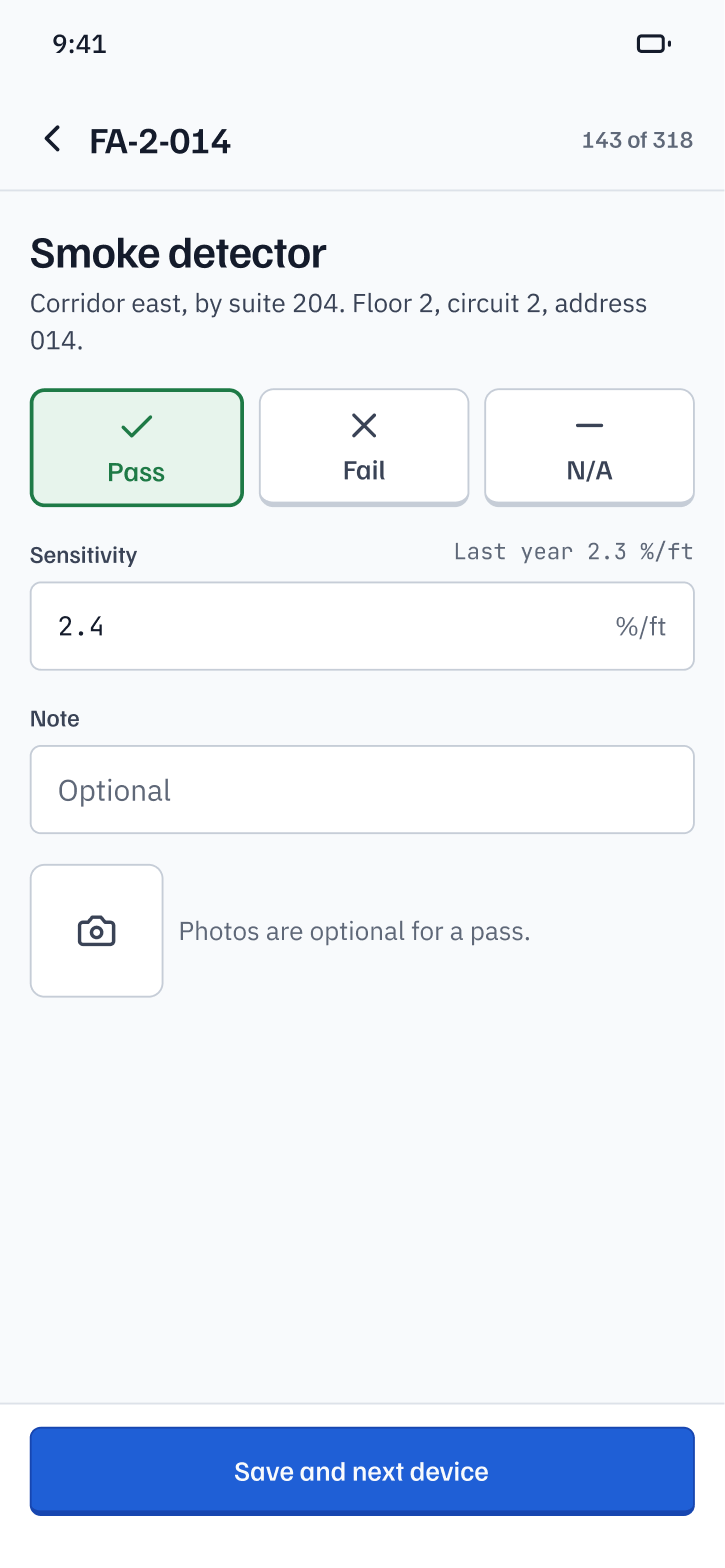
- Testing per device
- One screen for each device: result, measured values, a note and photos.
- Works without signal
- Record the whole inspection offline. It syncs when the phone is back in range.
- Deficiency table
- A failed device opens its deficiency, with the clause.
- Locked PDF with QR code
- An issued report cannot be edited. The QR code opens a page that confirms it.
- Owner sign-off
- The owner opens a link, reads the report and signs once deficiencies are resolved.
- Due dates
- Each system has a next-due date. The office gets a reminder before it.
Beyond the report
A calendar of visits, quotes for repairs and invoices, all from the same device register and inspection report.
Questions
- What is fire alarm inspection software?
- Software that records the result for each fire alarm device during an inspection and produces the report. AlarmLedger does this on a phone and issues the report for CAN/ULC-S536-2019.
- Which standard does it follow?
- CAN/ULC-S536-2019, the edition the Ontario Fire Code references from 1 January 2026 for inspecting and testing fire alarm systems.
- Does it work outside Ontario?
- It is built for Ontario first. The report layout follows CAN/ULC-S536-2019; check which edition your province references.
- Who signs the report?
- The technician who carried out the inspection signs on the phone. The practitioner who signs a report is responsible for it.
Issue your next report from your phone
Start free trial14 days free, no card.